To delete pictures in your app:
- Open your Yellowstone.ai app
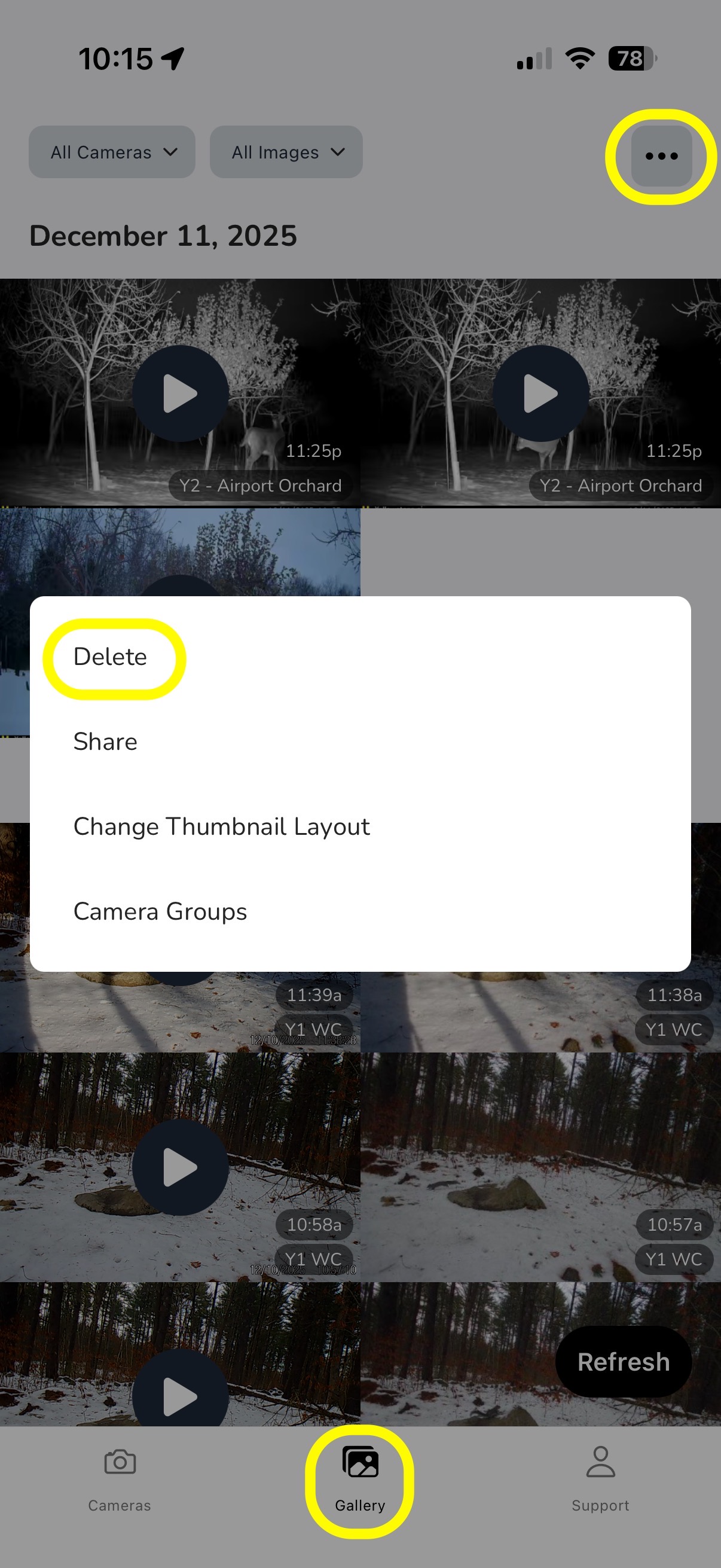
- Click on "Gallery" in the bottom center
- Click the three dots in the upper right corner
- Click "Delete"
- Tap in individual pictures/videos to delete OR click "Bulk Delete" at the top
- You have the option to delete all loaded by the 100 or all loaded except your favorites, bucks, or custom tags
- Click the red trash can icon in the upper left corner (or "Nevermind" if you made a mistake and do not want to bulk delete)
- Your app will refresh; repeat as necessary
NOTE: You have the ability to delete pictures from the website, but you are only able to select a single image at a time; deleting via the app is much more efficient if you are deleting multiple pictures/videos.
Was this article helpful?
That’s Great!
Thank you for your feedback
Sorry! We couldn't be helpful
Thank you for your feedback
Feedback sent
We appreciate your effort and will try to fix the article